IV Modeling
Simulate implied volatility changes to understand your portfolio's vega exposure.
What is IV Modeling?
IV Modeling lets you simulate how changes in implied volatility affect your portfolio’s P/L curves. Adjust the IV shift to see how your positions are projected to perform if volatility expands or contracts.
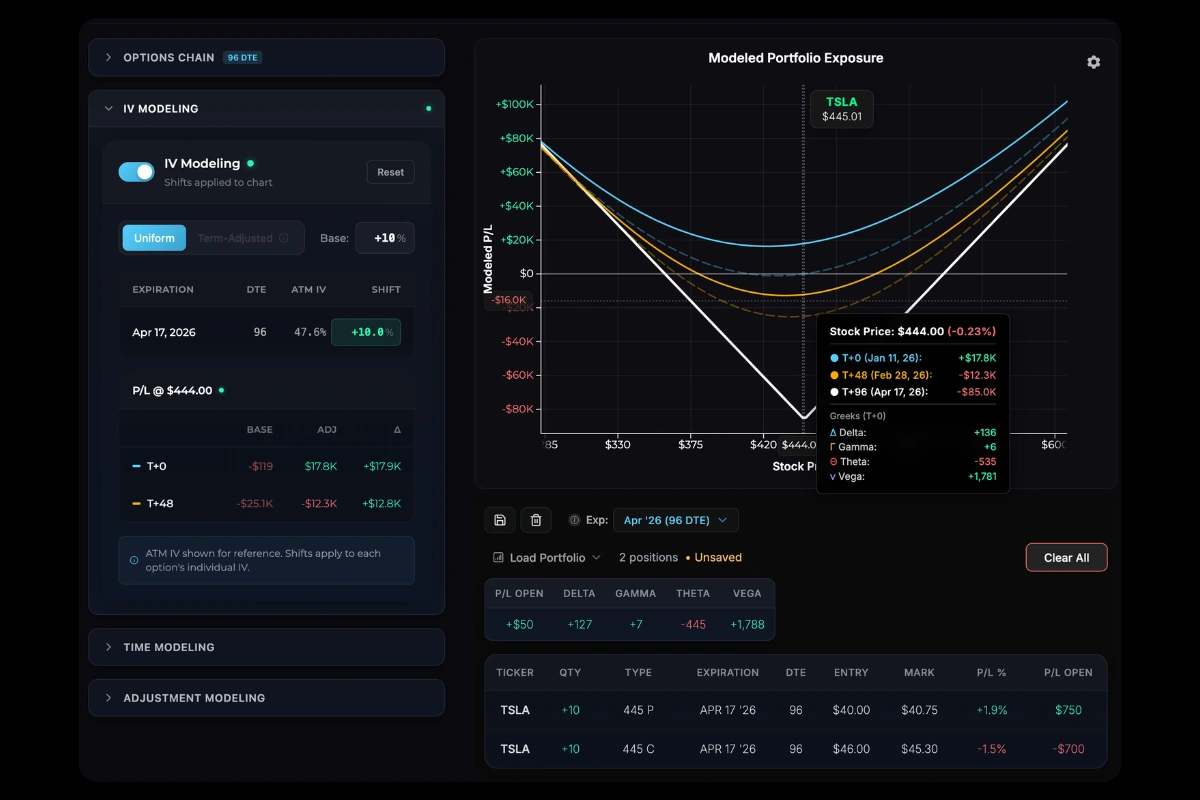
Note the current portfolio below, combining a long NVDA straddle with a long call LEAP. The T+0 line shows no P/L since the position was just created.

Using the IV Shift
- Open the IV Modeling tab in the left panel
- Adjust the Base Shift slider left or right
- Watch your P/L curves update in real time
| Shift Value | Effect |
|---|---|
| Negative | Simulates IV contraction (vol crush) |
| 0% | Current market IV (no change) |
| Positive | Simulates IV expansion (vol spike) |
How IV Shift Affects Curves
When you adjust IV:
- Long options (positive vega) → Curves shift UP with IV increase, DOWN with IV decrease
- Short options (negative vega) → Curves shift DOWN with IV increase, UP with IV decrease
- Expiration line → Stays the same (only intrinsic value matters at expiration)
The T+0 and T+ lines reshape based on the new theoretical option values at the shifted IV level.
In the image below, note how a +10% implied volatility shift results in improved profitability for the long straddle position.
Shift Modes
Base (Uniform)
The same IV change applies equally to all expirations.
Use this when modeling broad market volatility changes that affect all options uniformly.
Term-Adjusted
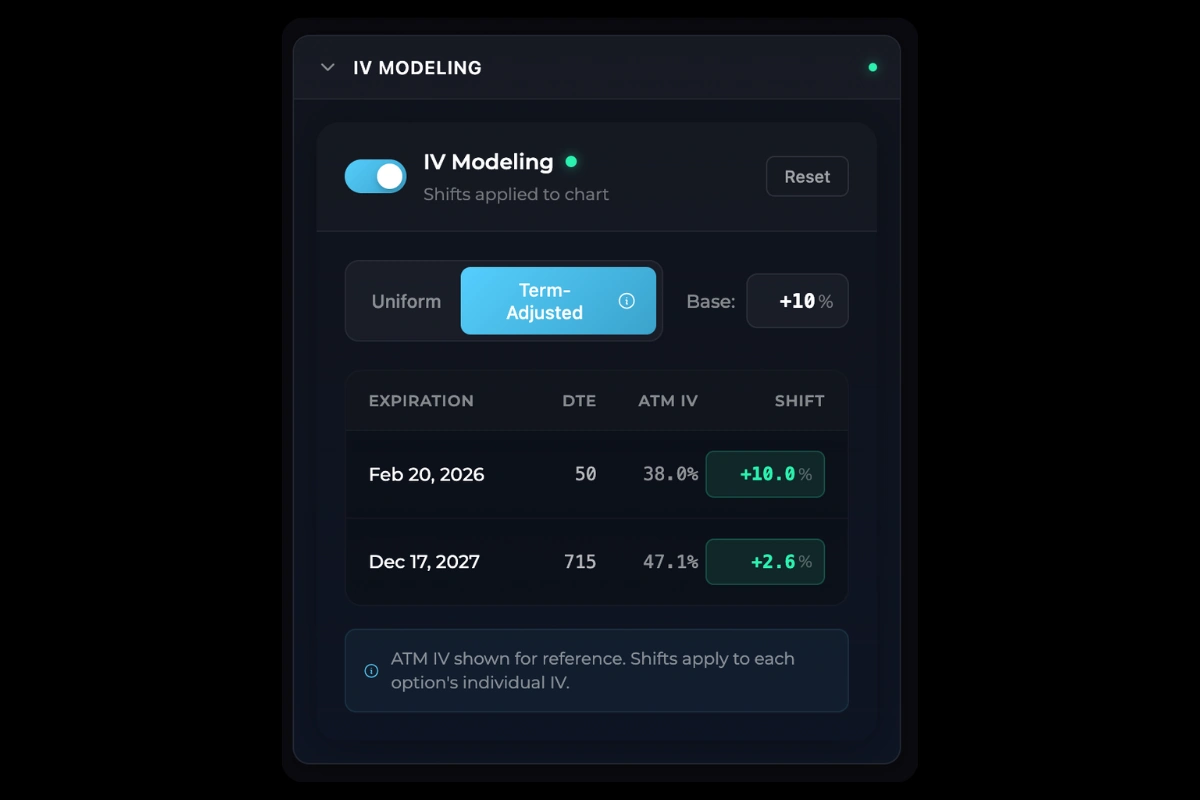
The IV change is weighted using a square root of time decay:
- Shorter-dated options → More affected by the shift
- Longer-dated options → Less affected by the shift
This reflects real market behavior where short-term IV is more reactive than long-term IV. In this example, a 10% increase in IV in the 50 DTE options is not going to translate to a 10% increase in the 715 DTE options. Enabling Term-Adjusted IV shifts accounts for this and gives you more realistic IV modeling.
Use this mode when you have varying expirations in your position and want a more realistic simulation of how the volatility term structure typically changes.
Per-Expiration Adjustments
For fine-tuned control, you can adjust IV for each expiration independently:
- Each expiration row shows its current ATM IV
- Use the +/- controls to adjust that specific expiration
- Create custom scenarios where different expirations have different IV shifts
This overrides the base shift for that expiration, giving you full control over the modeled term structure.
Controls
- Reset - Return all IV adjustments to 0%
- Mode Toggle - Switch between Base and Term-Adjusted modes
Was this page helpful?